Common Mistakes Most Beginners Make with Strong Passwords
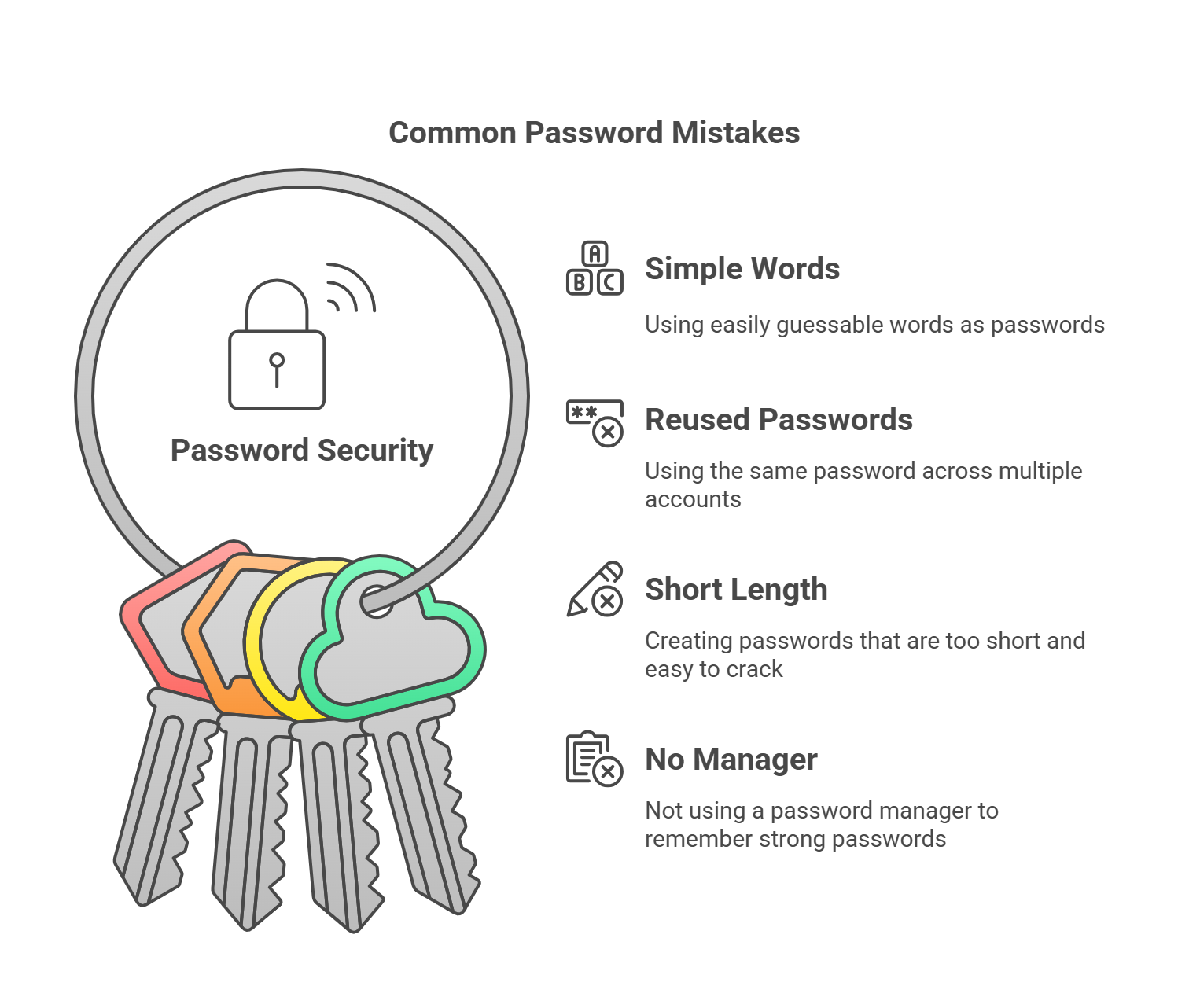
Creating strong passwords is key to staying safe online, but many people still make simple mistakes. Here are some of the most common:
-
Using Simple Words: Phrases like “password123” or “admin” are easy to guess.
-
Reusing Passwords: Using the same password on many sites makes all your accounts at risk if one gets hacked.
-
Ignoring Password Length: Short passwords are easier to crack. Aim for passwords that are 12 to 16 characters long.
-
Not Using a Password Manager: Without a password manager, it’s tough to remember strong passwords, so people end up using weak or repeated ones.
These mistakes can put your security at risk. A strong password is about more than avoiding errors—it’s about setting up a system that works for you and protects you.
The Complete 2025 Guide to Strong Password Practices
Strong passwords are crucial for your security online. In this guide, we’ll explain how to create and manage passwords for both personal and business use.
How to Create and Manage Strong Passwords
-
Use a Mix of Characters: Always use a mix of uppercase, lowercase letters, numbers, and symbols. This makes it harder for anyone to guess.
-
Avoid Personal Information: Don’t use your name, birthday, or common phrases that are easy to find online.
-
Enable Two-Factor Authentication (2FA): Turn on 2FA for an extra layer of security, especially for important accounts like email and banking.
-
Use a Password Manager: A password manager keeps your passwords safe, so you only need to remember one strong password for the manager itself.
By following these simple steps, you can make sure your passwords are as secure as possible. But what about using these practices at a business level?
5 Research-Backed Strong Password Strategies
Studies show that strong passwords are vital for stopping cyberattacks, but some strategies work better than others. Here are five proven tips to improve your password security.
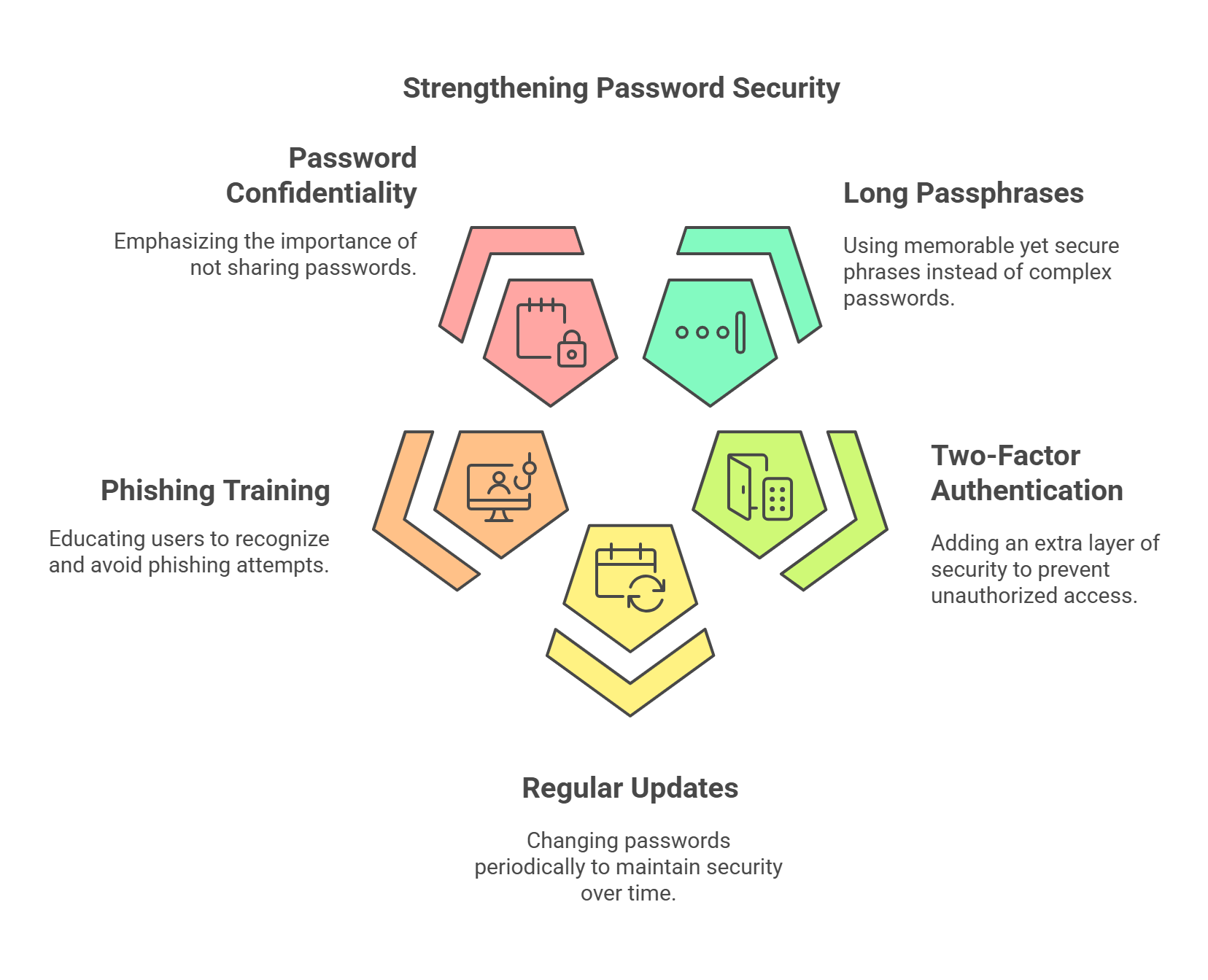
1. Use Long Passphrases Instead of Complex Passwords
-
A study from the University of Cambridge shows that long, easy-to-remember passphrases are more secure than short, complex passwords. For example, “EagleBlueSunshine@2025” is easier to remember but still tough to crack.
2. Turn on Two-Factor Authentication (2FA)
-
A 2023 Google survey found that 2FA blocks up to 96% of automated attacks. Enforcing 2FA in your business can reduce the chance of unauthorized access.
3. Update Passwords Periodically
-
Research from NIST says that updating passwords regularly helps protect against unauthorized access over time. Set reminders to change your passwords every few months.
4. Train Users to Spot Phishing
-
CISA reports that teaching people to recognize phishing attempts can stop password theft. Simulated phishing campaigns have reduced attacks by 70%.
5. Don’t Share Passwords
-
A study by Verizon found that 59% of data breaches are caused by human error, including sharing passwords. Businesses should make it clear that passwords should never be shared.
Real Success Story: How Company X Enhanced Security in 90 Days
Company X took strong steps to improve their password practices, and the results were clear. In just 3 months, they saw a 40% drop in security breaches. They made these changes:
-
Required Password Manager Use: Employees used premium password manager tools.
-
Made 2FA Mandatory: All internal accounts now require 2FA.
-
Trained Staff: Monthly security training helped staff recognize phishing attempts.
7 Hidden Dangers of Weak Passwords
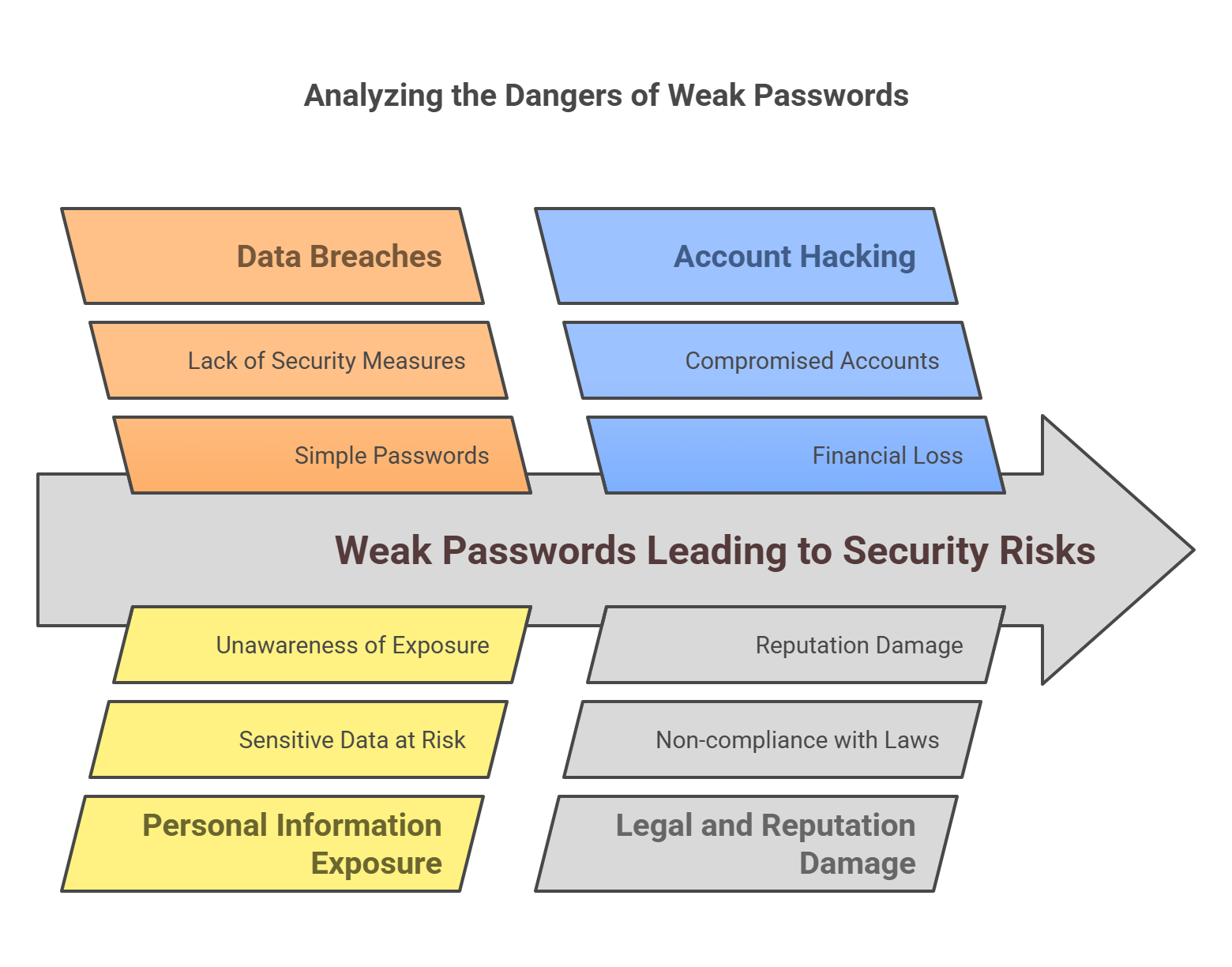
Weak passwords put both businesses and individuals at risk. Here are seven hidden dangers to avoid:
-
Higher Risk of Data Breaches: Simple passwords are a major cause of data breaches.
-
Exposure of Personal Information: Weak passwords can expose sensitive information without you realizing it.
-
Hacked Accounts: A compromised password can lead to stolen email, bank, or social media accounts.
-
Financial Loss: Cybercriminals can steal money using hacked accounts.
-
Reputation Damage: A company’s reputation can suffer if their system is hacked.
-
Loss of Control: Without a password manager, you might not know which passwords you’ve used.
-
Legal Trouble: Businesses could face legal consequences for not complying with password protection laws.
Expert Predictions: Where Strong Password Practices Are Heading in 2025
In 2025, the future of strong passwords will likely change in several ways:
-
Biometric Authentication: As biometric technology grows, we may use less traditional passwords and more fingerprint, face, and voice recognition.
-
AI Security Tools: Artificial intelligence will play a larger role in creating and protecting strong passwords.
-
Passwordless Authentication: Some experts think we’ll see more systems without passwords by 2025. These systems could revolutionize security.
FAQs
Q: Why are strong passwords so important?
A: Strong passwords are your first line of defense against cyberattacks. Weak passwords can easily be cracked, exposing your data.
Q: How often should I change my passwords?
A: For personal accounts, change your passwords every 3 to 6 months. For business accounts, change them more often, depending on how sensitive the data is.
Q: What’s the best password manager?
A: Popular password managers include LastPass, Dashlane, and 1Password. Pick one based on your needs, like ease of use or advanced security features.
Your Custom Strong Password Plan
-
Step 1: Pick a password manager (e.g., LastPass, 1Password).
-
Step 2: Set up 2FA for all important accounts.
-
Step 3: Create a company-wide password policy with long passphrases and regular updates.
-
Step 4: Educate everyone on phishing and password best practices.
-
Step 5: Monitor password strength and compliance regularly.
Conclusion and Key Takeaways
Strong passwords are one of the easiest and most effective ways to protect your data. By following these best practices, both individuals and businesses can dramatically reduce the risk of cyberattacks. As technology changes, so should your password security practices. Stay ahead of the curve and keep your data safe today!